TikTok Viewer & Profile Analyzer
View public TikTok stories, profiles, download videos, analyze account insights, and browse content without signing in.
Everything You Need to Get More from TikTok
Look up any public TikTok profile in your browser.
See a creator’s bio, profile picture, username, and account status at a glance.
Browse public videos in a clean grid with view counts, so you can scan a creator’s content fast.
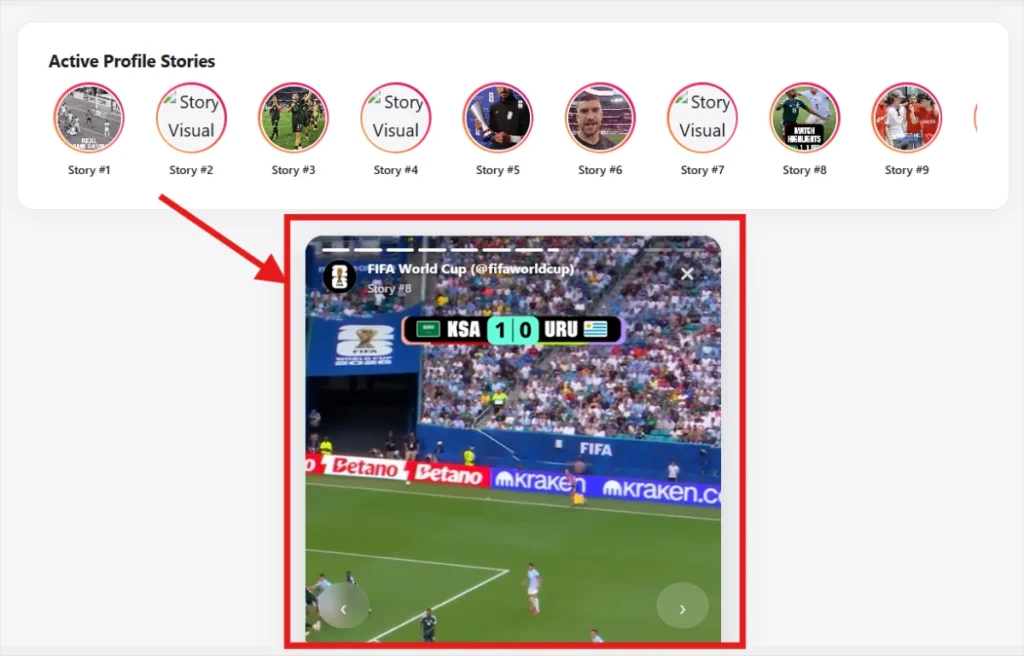
Check a public account’s currently active TikTok Stories from the browser.
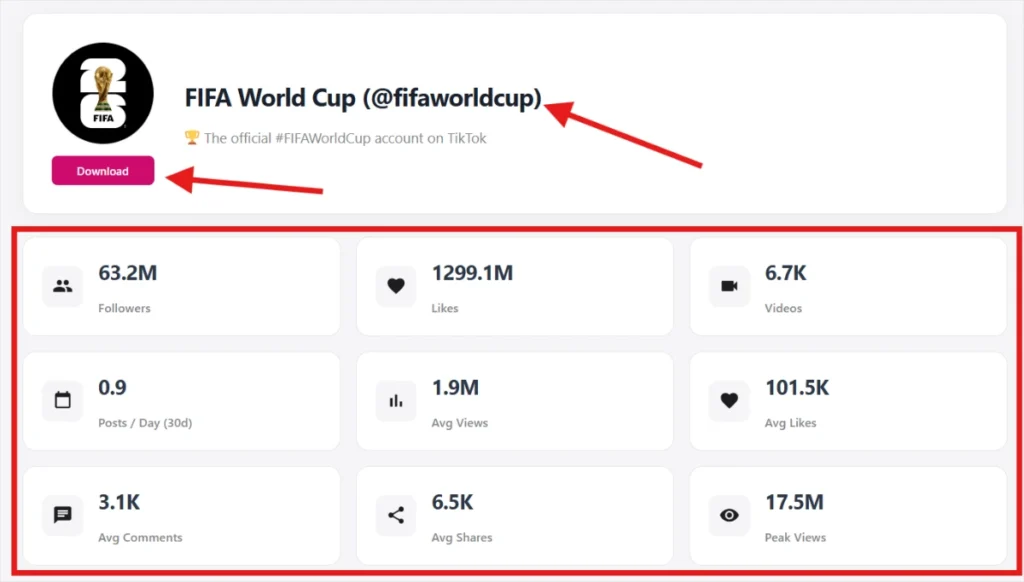
Followers, following, total likes, and an estimated engagement rate calculated from public post data.
See what a public account has reposted, alongside their original uploads.
Save public videos, photos, or audio for content you have the rights to reuse.
How to Use TikView.io?
View, analyze, and download TikTok videos with TikView. No app installation or TikTok account is required, and the tool works on all devices. Just follow these 3 simple steps, and you’re good to go.
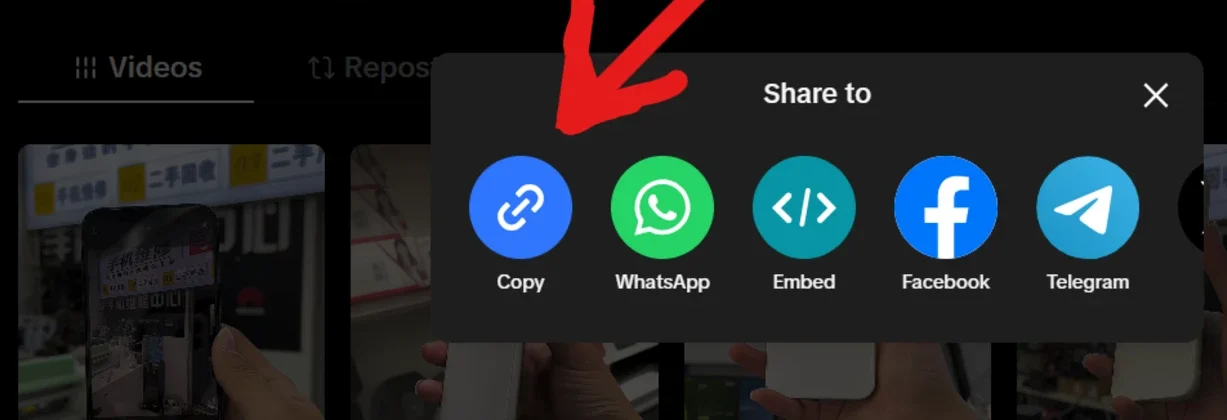
Step 1: Copy the User Name or URL from TikTok
- Open TikTok and find the video you want to download.
- On the TikTok app, tap Share and select Copy Link.
- On a desktop browser, copy the video URL from the address bar.
Step 2: Visit TikView.io
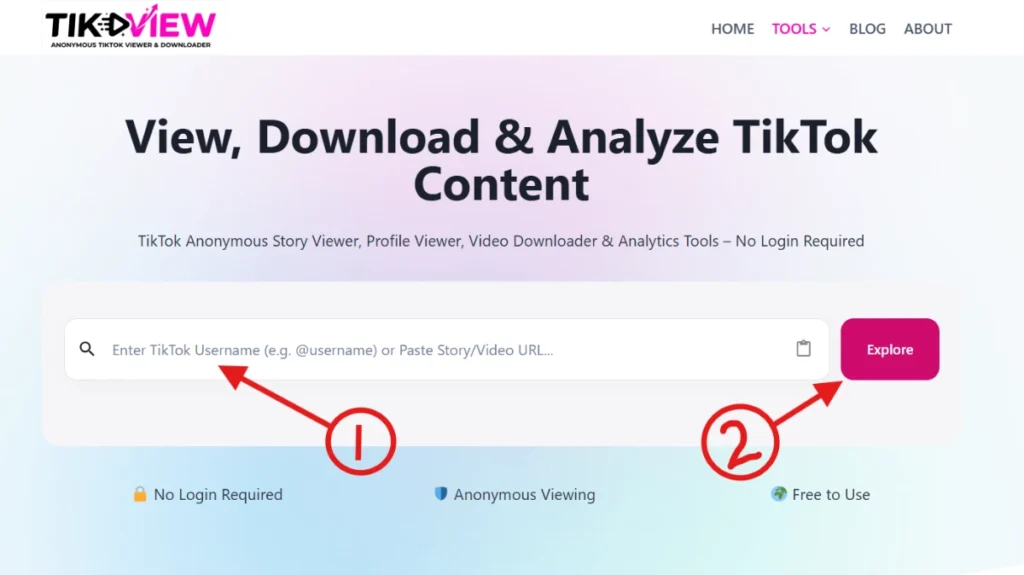
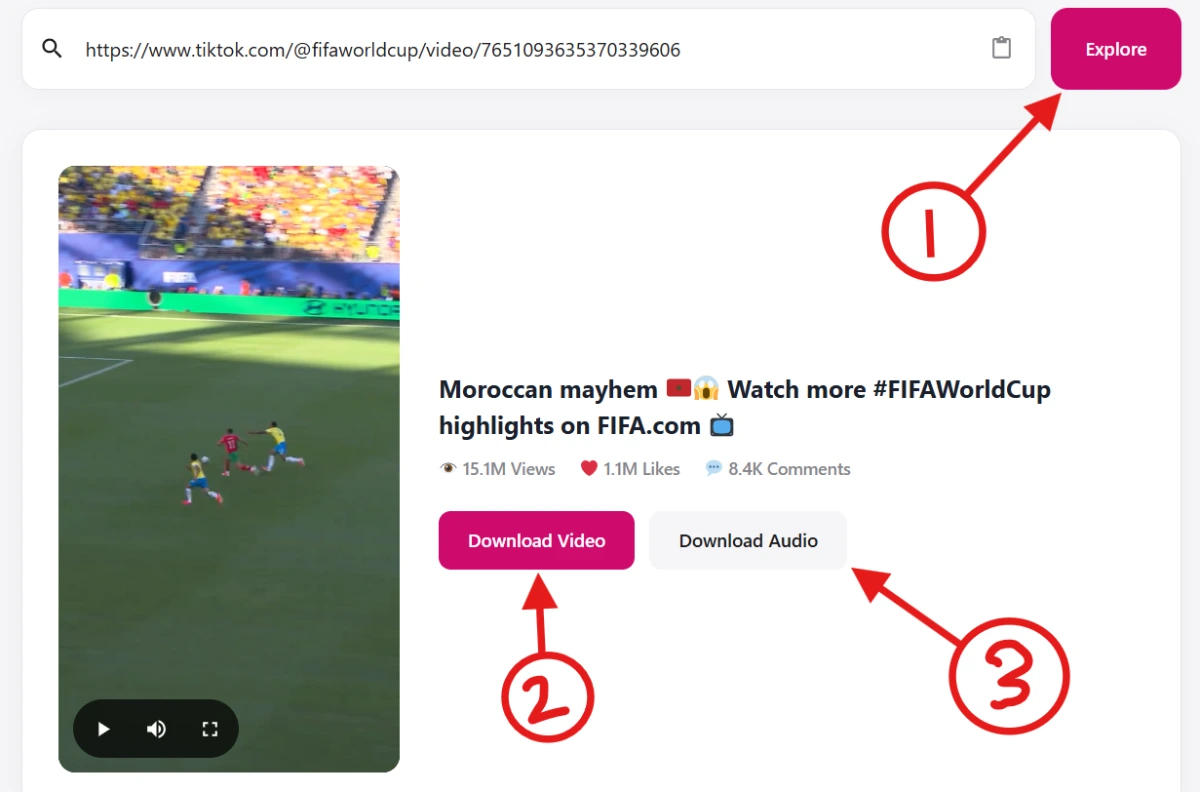
- Go to TikView.io and enter a TikTok username or paste a video URL into the search box.
- Click the “Explore” button to start processing. TikView.io will fetch available public data instantly.
A browser tool for looking up what’s already public on TikTok
TikView is a simple online tool that lets you look up any public TikTok profile in seconds. No login, no app to download. Just type in a username and see their bio, follower count, following count, and total likes, plus their public videos and any stories that are currently live.
Want to save something? TikView also lets you download public videos, photos, and audio straight from the profile. Need more than the basics? It works out an estimated engagement rate from a creator’s recent posts, so you can quickly judge how well an account is really performing, not just how big it looks. Built for creators checking out the competition, marketers scoping influencers before a deal, or anyone who just wants to confirm an account is legit. TikView gives you the full picture in one search.
Public information only
TikView can’t and won’t show private accounts, private messages, or anything a user hasn’t made public.
Nothing to install
It runs entirely in your browser, on desktop or mobile.
No account required
Search as a guest, no sign-up wall on the core lookup.
Built for
What you can look up
Why TikView
Built around one rule: public data, shown honestly
No login
Every tool works without a TikTok or TikView account.
Browser-based
Every tool works without a TikTok or TikView account.
Public only
We never claim to access private accounts.
Fast results
Most searches return in under two seconds.
We only show what’s already public
TikView doesn’t ask for a TikTok login, doesn’t store your search history against your identity, and never modifies the account you search. Everything shown is information the account owner has already made visible to any visitor.
What TikView can do
What TikView cannot do
Frequently Asked Questions
Have questions about using our TikTok Viewer? Below you’ll find answers to the most common questions about viewing public TikTok profiles, Stories, videos, profile analytics, and other available features. Learn how the tool works, what information it can display, and how to use it safely and efficiently.
TikTok Guides
Why You’re Not Getting Views on TikTok (And How to Fix It Fast)
You post. You wait. You refresh the app twenty times in an hour. And the view count sits at 47….
TikTok Shadowban: How to Check, Fix, and Avoid It (Complete Guide 2026)
Reviewed against current TikTok Community Guidelines. This guide is based on publicly available TikTok policies and patterns reported by creators….
How to Create an Account on TikTok: Step-by-Step Beginner’s Guide
To create a TikTok account, download the TikTok app or visit TikTok.com, tap Sign Up, choose a sign-up method (email,…