You post. You wait. You refresh the app twenty times in an hour. And the view count sits at 47.
If that sounds familiar, you’re not alone, and you’re not doing everything wrong. Getting views on TikTok trips up almost every creator at some point, whether you’re brand new to the app or you’ve been posting for months and suddenly watched your numbers fall off a cliff. The reasons range from simple (a weak first three seconds) to technical (a temporary distribution restriction) to purely algorithmic (TikTok is still testing your content with a small audience and hasn’t decided to push it further yet).
The good news: none of these problems are permanent, and almost all of them are fixable once you know what’s actually happening behind the scenes. This guide walks through exactly why videos stall at low views, why views suddenly drop after a good run, how to tell a real shadowban from ordinary underperformance, and — most importantly — a practical, step-by-step system for getting more views starting with your very next post.
This guide draws on TikTok’s own published algorithm documentation, 2026 posting-time studies from Buffer and Sprout Social, and the diagnostic patterns creators and social teams report most often when troubleshooting a views drop. It’s reviewed and updated as the platform changes — last updated August 2026.
What Does “Getting Views on TikTok” Actually Mean?
A “view” registers the moment your video starts playing — TikTok counts it almost instantly, even before someone watches to the end. That’s different from reach (the number of unique accounts your video was shown to) and engagement (likes, comments, shares, and saves relative to those views).
This distinction matters because chasing raw view count alone can be misleading. A video with 50,000 views and almost no engagement is often a weaker long-term asset than one with 5,000 views and a high completion rate, because TikTok’s system cares far more about what people do once the video starts than how many times it started.
| Metric | What It Measures | Why It Matters |
|---|---|---|
| Views | Times a video started playing | Top-of-funnel visibility |
| Reach | Unique accounts shown the video | True audience size |
| Engagement | Likes, comments, shares, saves | Signals content quality to the algorithm |
| Watch time | Total time spent watching | Strongest ranking factor |
How the TikTok Algorithm Works
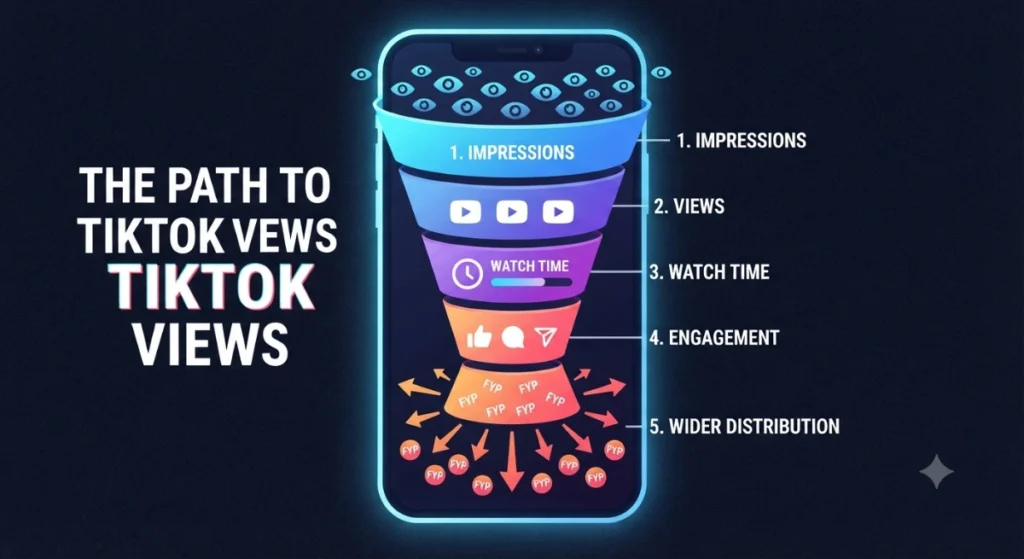
Unlike older social platforms, TikTok doesn’t primarily rank content by follower count or account age. Every video — from a brand-new account or a creator with a million followers — starts by being shown to a small test audience, often weighted toward your existing followers first. TikTok then watches how that small group behaves before deciding whether to push the video further.
The signals it weighs most heavily, roughly in order of importance:
- Completion rate and watch time — did people watch to the end, or rewatch it?
- Shares and saves — sending a video to a friend or saving it is a stronger signal of value than a like.
- Comments — especially conversations, not just emoji reactions.
- Profile visits and follows generated directly from the video.
- Video information — captions, on-screen text, spoken audio, hashtags, and sound choice, which help TikTok categorize and match your content to the right search queries and interests.
If your first test batch responds well, TikTok releases the video to a larger group, then a larger one still — a cycle that repeats as long as engagement holds up. This is also why a video can sit at a low view count for hours and then suddenly take off: it may simply still be moving through the testing stages.
Expert tip callout: TikTok has increasingly leaned into functioning as a search engine as well as a discovery feed — meaning keyword-rich captions and spoken/on-screen text now double as a ranking signal, not just a nice-to-have.
Old TikTok Algorithm vs. Current Algorithm
| Factor | Earlier Approach | Current Approach |
|---|---|---|
| Follower count weight | More influential | Minimal — reach isn’t gated by followers |
| Watch time importance | Moderate | The single strongest ranking signal |
| Search/keyword optimization | Rarely discussed | Directly affects discoverability |
| Content variety | Less emphasized | TikTok actively avoids showing repetitive content back-to-back |
| Niche relevance | Broad virality prioritized | Deep resonance within a specific community often outperforms broad, generic content |
Why My Account Not Getting Views on TikTok? (Troubleshooting)
Why Is My Video Not Getting Views?
Most low-view videos share one or more of these problems: a slow or unclear opening that doesn’t earn the first three seconds, no keyword-relevant caption or on-screen text for TikTok to categorize the content, low production basics (shaky footage, poor audio, text that’s too small to read), or a mismatch between the video’s topic and what your existing audience normally engages with — which can confuse the algorithm’s early testing signals.
Why Is My Video Stuck at Under 100 Views? (“View Jail”)
Creators sometimes describe getting stuck around the same low number video after video — commonly nicknamed “200-view jail.” This usually isn’t a punishment. It typically means the video simply isn’t clearing the engagement bar in its first test batch (weak retention, low shares/saves), so TikTok never expands distribution beyond that initial small group.
Why Your TikTok Views Suddenly Stopped (After Previously Doing Well)
A sudden, sustained dip after a period of normal performance is usually tied to one of these:
- Inconsistent posting breaking your content momentum
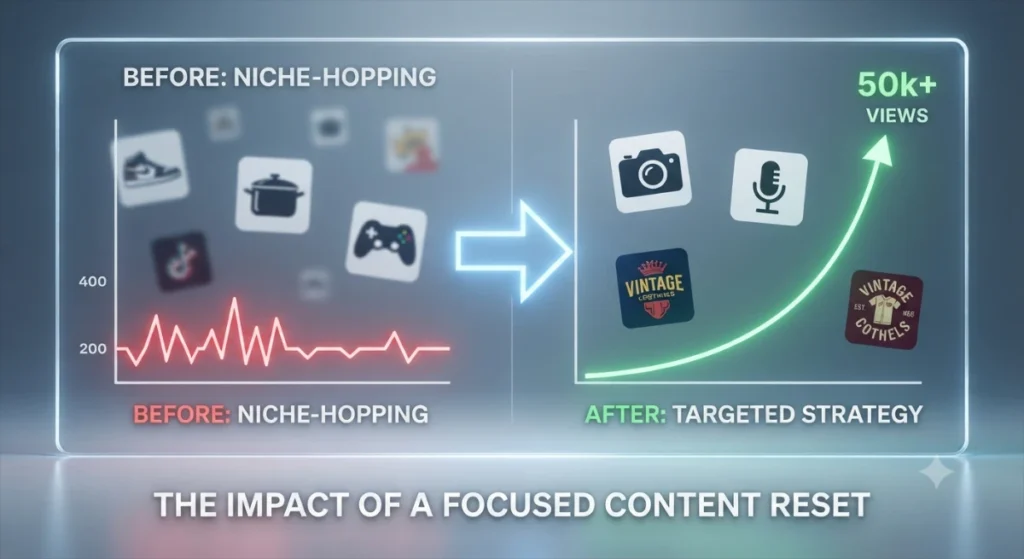
- Niche-hopping — switching topics so often the algorithm can’t confidently match your videos to an audience
- Increased competition or saturation in your niche
- A genuine content quality dip compared to your recent best performers
Why Do My Views Suddenly Drop? (tiktok views dropped)
Beyond the causes above, sudden drops are sometimes tied to changes in posting time consistency, trend fatigue (a format or sound that’s overused and losing algorithmic favor), or a temporary platform-side testing/moderation review that resolves on its own within a day or two.
Why Do Some Videos Get 0 Views?
A true zero, or near-zero, view count that doesn’t move at all is different from “low” views. Common causes include a processing delay or glitch, a copyright restriction on the audio track muting distribution, or the video being flagged during automated review before it’s even shown to a test audience.
TikTok Views Frozen & 200-View Jail: What They Actually Mean
Two phrases come up constantly in creator forums, and they describe closely related situations.
“Frozen” views usually means your view count stops climbing entirely within the first few minutes or hours of posting — it doesn’t creep up gradually, it just halts. This is almost always the test-audience stage of distribution: TikTok showed the video to its first small batch, that batch didn’t generate enough completion, shares, or saves to justify expanding further, so the count simply stays put. A true display bug — where the number visually doesn’t refresh even though it’s still counting — happens occasionally too, and usually resolves after closing and reopening the app.
“200-view jail” (sometimes described as being stuck in the same 100–300 view range video after video) describes that same mechanic repeating across multiple uploads in a row. It’s not a formal penalty — there’s no evidence TikTok maintains a specific view cap — but it is a real, common pattern where an account’s recent output simply isn’t clearing the bar needed to earn wider testing.
How to break out of it:
- Audit your last 3–5 videos’ hooks — weak openings are the single most common cause
- Check completion rate and average watch time in analytics; if both are low across every recent video, the pattern points to content, not suppression
- Vary your format slightly (pacing, hook style, topic angle within your niche) rather than repeating the exact structure that isn’t working
- Prioritize a save- or share-worthy payoff, since those signals move a video out of the small test group faster than likes alone
- Give any single change 3–5 posts to show a trend before concluding it isn’t working
If frozen or stuck views happen suddenly after a period of normal performance, and span several videos at once rather than just one, treat it as a possible shadowban instead — covered in detail below.
Why Did I Stop Getting Views on TikTok? Understanding the Drop
Views rarely disappear for no reason — even when it feels that way. Before assuming the worst, check whether the pattern is gradual (a content or strategy issue) or sudden and sharp across multiple videos at once (more consistent with a distribution restriction, covered next).
TikTok Shadowban: Signs, Myths & How to Check
A shadowban is an unofficial term for a period where TikTok limits a video’s or account’s distribution — usually keeping it off the For You Page and out of hashtag or search results — without any formal notification. TikTok doesn’t officially use the word “shadowban,” but restricted distribution is a real, documented experience for many creators, often tied to community guideline flags, spammy behavior, or repeated copyright issues.
Real Signs of Reduced Distribution
- A sudden, sharp drop (often 70%+ ) across several videos at once, not just one underperforming post
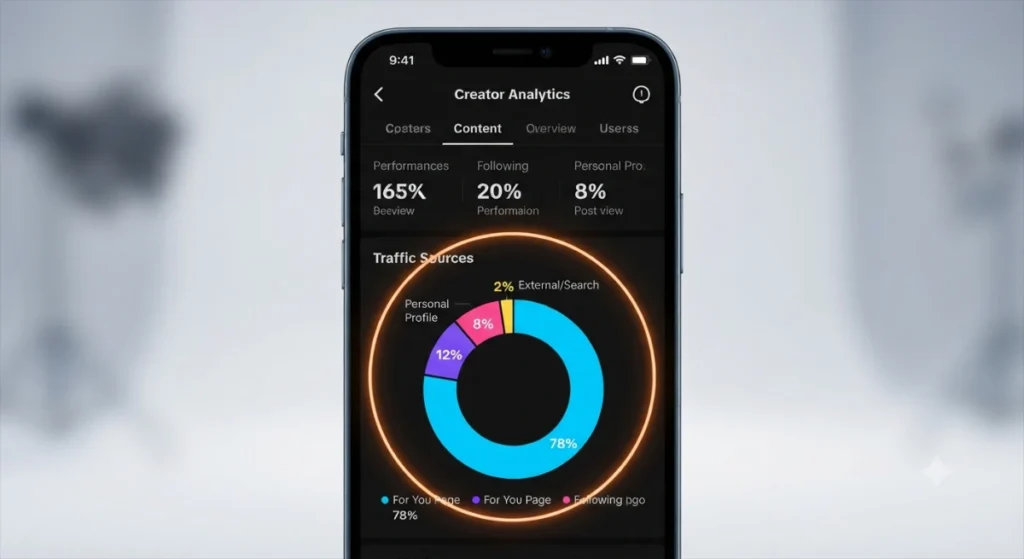
- Your traffic source breakdown in analytics shows views almost entirely from “Following” or “Personal Profile,” with For You Page traffic near zero
- A unique test hashtag you post doesn’t appear under that hashtag’s “Recent” tab when searched from an account that doesn’t follow you
- Your username doesn’t surface when searched from a logged-out browser or a secondary account
- Videos sit on “under review” status for an unusually long time
How to Check for a Shadowban
- Post a video with a unique, made-up hashtag and search it from another account after an hour — it should appear.
- Search your exact username from a logged-out or secondary account.
- Check Settings → Account → Account Status for any listed restriction.
- Review your analytics traffic-source breakdown for a collapsed For You percentage.
Two or three failed checks together are a much stronger signal than any single one alone.
Shadowban Myths to Stop Believing
- “Too many hashtags trigger it.” Hashtag count alone is not a documented cause.
- “Switching to a Business account causes it.” No evidence supports this.
- “Every slow week is a shadowban.” Most low-view stretches are content or strategy issues, not suppression.
Low Views vs. Shadowban
| Symptom | Ordinary Low Views | Likely Shadowban |
|---|---|---|
| Pattern | Gradual, tied to content quality | Sudden, across multiple videos at once |
| Existing followers | Still see your content | Often stop seeing it too |
| Hashtag visibility | Normal | Missing from hashtag “Recent” results |
| Recovery | Improves with better hooks/content | Persists even when content quality is strong |
Why Isn’t My Video on the FYP?
Not reaching the For You Page doesn’t automatically mean a shadowban — it’s the default outcome any time a video doesn’t clear the algorithm’s early testing bar. Common non-suppression reasons include:
- New account trust-building — very new accounts sometimes get a smaller initial test audience while TikTok gathers more signal about who to show their content to
- Content-audience mismatch — a topic that doesn’t match what your recent viewers usually engage with can underperform in testing even when the video itself is well made
- Weak completion rate — the most common single cause; if viewers swipe away in the first few seconds, wider distribution simply doesn’t happen
- Overly generic hashtags — tags so broad they don’t help TikTok match the video to an interested audience
- Technical issues — low resolution, incorrect aspect ratio, or a muted/restricted audio track can all quietly cap reach
Quick self-check: if only one or two videos aren’t reaching the FYP while your other recent content performs normally, it’s almost always content-specific. If every recent video is affected at once, work through the shadowban checks above instead.
Mistakes That Kill Your Reach
- Posting inconsistently, then disappearing for a week
- Ignoring your own analytics instead of learning from them
- A weak or missing hook in the first 1–3 seconds
- Reusing trending sounds or formats with no relevance to your niche
- Re-uploading content with another platform’s watermark visible
- Asking for likes/comments in ways that cross into banned “engagement bait” territory
- Skipping captions and on-screen text — a missed TikTok SEO opportunity
How to Start Getting Views on TikTok (Beginner Framework)
- Pick a clear, specific niche. Broad “lifestyle” content is harder for the algorithm — and viewers — to categorize than a focused topic.
- Study top-performing videos in your niche. Note hooks, pacing, and caption style, not to copy but to understand what’s resonating.
- Post consistently, even if that means fewer, better videos rather than daily rushed ones.
- Optimize every video before publishing using the checklist below — don’t skip steps because you’re in a hurry.
- Engage genuinely with other accounts in your niche; comments and duets can put your profile in front of a relevant audience.
Expert tip callout: Many creators find their first 10–15 videos function as a “trust-building” period where the algorithm is still learning who to show your content to — a slow start on video one doesn’t predict video ten.
How to Get More Views on TikTok (Growth Strategies)
Once you’ve moved past the beginner stage, these tactics compound over time:
- Time trends without losing your voice — jump on formats early, but adapt them to your niche rather than copying exactly.
- Batch content creation so you can post consistently without daily creative pressure.
- Use Duets and Stitches to piggyback on existing visibility and ongoing conversations.
- Repurpose your best-performing format into a short series rather than treating every video as a one-off.
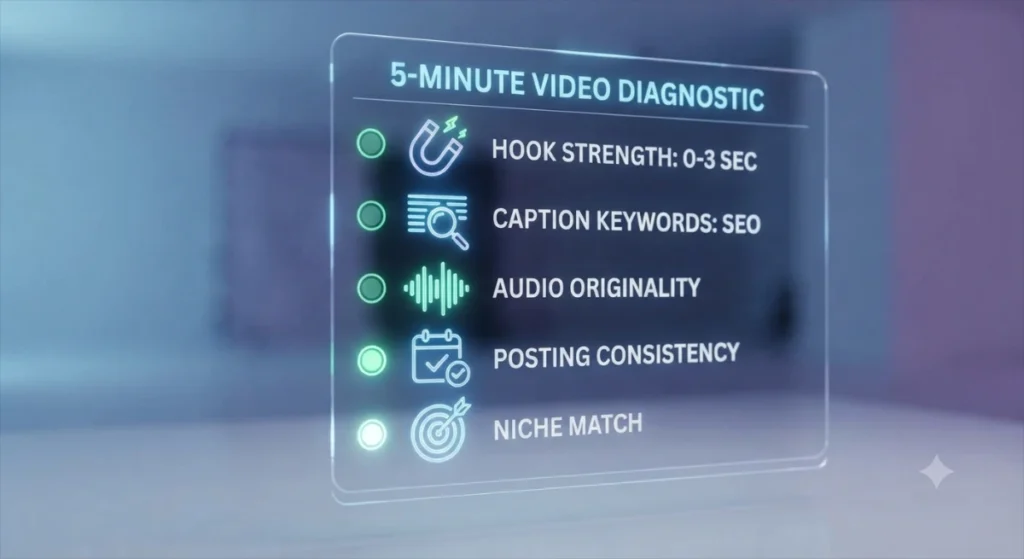
Video Optimization Checklist (Before You Post)
- Vertical 9:16 format, clean HD footage
- Captions/subtitles burned in or added
- Caption written with a real, searchable keyword phrase
- Relevant or original audio selected
- Hook lands within the first 1–3 seconds
- Clear call-to-action (comment, follow, share, save)
- Hashtags researched — a mix of niche and broader tags, not random trending ones
Best Time to Post on TikTok
There’s no single universal “best time” — large-scale studies genuinely disagree with each other, and that disagreement is itself useful information. Buffer’s analysis of over seven million posts found Saturday, Monday, and Sunday performing strongest, with evenings outperforming afternoons. Sprout Social’s analysis of billions of engagements across hundreds of thousands of profiles found the opposite pattern — weekday afternoons (particularly Tuesday–Thursday) outperforming weekends.
What both agree on: the interactions a video collects in its first hour heavily influence how far it gets pushed, so posting when your specific audience is actually online matters more than chasing any single published time.
| Approach | Best Days (by data) | Best Windows |
|---|---|---|
| Buffer (7.1M posts) | Saturday, Monday, Sunday | Evenings, Sunday morning |
| Sprout Social (~2B engagements) | Tuesday–Thursday | Early-to-mid afternoon |
How to find your actual best time: Open TikTok Studio → Analytics → Followers tab → “Most active times,” and treat published studies as a starting point to test against your own data, not a rule to follow blindly.
Content Ideas That Naturally Earn Views
- Relatable storytime content — specific, personal moments tend to outperform vague ones
- Quick educational tips — one clear takeaway per video, delivered fast
- Behind-the-scenes/process content — especially useful for small businesses showing how something is made
- Trend participation with a twist — take a trending format and adapt it to your niche instead of copying it directly
- UGC-style testimonials — genuine, unpolished reactions often outperform highly produced ads for business accounts
Suggested content: 3–5 real example video concepts per category, tailored to the reader’s niche.
TikTok Hashtag Strategy
Hashtags help TikTok categorize your content — they aren’t a magic reach multiplier on their own, and using dozens of hashtags won’t outperform three or four well-chosen ones.
| Hashtag Type | Purpose | Example Style |
|---|---|---|
| Broad | Signals general category | #smallbusiness |
| Niche | Connects to a specific community | #candlemakingtips |
| Trending | Rides current momentum | Whatever’s active that week |
| Branded | Builds your own recognizable tag | #yourbrandname |
Guideline: 3–5 relevant hashtags, mixing niche and broad, generally outperforms hashtag-stuffing.
TikTok SEO Strategy
TikTok increasingly functions as a search engine in its own right — people search it directly for recommendations, tutorials, and reviews, and TikTok content now surfaces in some external AI-powered search results too. That makes on-video text and spoken words genuinely part of your ranking strategy, not just decoration.
- Write descriptive, keyword-rich captions that clearly summarize the video rather than being vague or purely clever
- Say your main keyword out loud in the video — TikTok’s system can factor in spoken audio to understand relevance
- Match on-screen text to your caption’s core keyword for consistency
- Use TikTok’s own search bar to see autocomplete suggestions as informal keyword research
Hook Writing Tips (First 3 Seconds)
Because completion rate is the strongest ranking signal, the opening seconds are the highest-leverage part of any video.
Proven hook formulas:
- A direct question (“Why is nobody talking about this?”)
- A bold, specific claim (“This mistake cost me 10,000 views.”)
- A pattern interrupt — an unexpected visual or statement that breaks scrolling momentum
- A clear promise of value (“By the end of this, you’ll know exactly why…”)
Visual hooks vs. verbal hooks: A strong opening frame (movement, an unusual setting, on-screen text) can hook viewers even before they process what you’re saying — combining both is stronger than relying on either alone.
Video Retention & Watch Time Optimization
Retention matters more than raw view count because it’s the primary input into whether TikTok expands your video’s distribution.
- Pace edits tightly — cut dead air and long pauses
- Use on-screen text to “re-hook” viewers mid-video, especially around the point where attention typically drops
- Build loop-worthy endings — a final beat that flows naturally back into the opening encourages rewatches, which TikTok weighs heavily
- Match video length to your content’s actual value — a longer video that holds attention throughout can outperform a short one that gets swiped away early; length only hurts you when it isn’t earning attention
Increasing Watch Time (Technical Tactics)
- Insert a pattern interrupt (a cut, sound effect, or text pop) every few seconds to sustain attention
- Time on-screen captions precisely with spoken audio so nothing feels delayed
- Keep video length matched to how much genuine value or story you actually have — padding hurts retention
Engagement Optimization
- Encourage comments that spark conversation rather than one-word reactions
- Reply to comments with video replies when possible — this creates additional content and signals active engagement
- Prioritize content that’s naturally share- and save-worthy (useful, funny, or emotionally resonant) since shares and saves are weighted more heavily than likes
- Avoid banned engagement-bait phrasing (“like if you agree, comment if you don’t”) — TikTok actively suppresses this tactic
Profile Optimization for Discoverability
- Write a keyword-relevant bio so profile visits convert into follows
- Use a clear, recognizable profile photo
- Pin your best-performing or most representative videos to the top of your profile
- Link other platforms correctly so cross-platform traffic lands somewhere useful
Analytics to Monitor for Growth
- Traffic source breakdown (For You Page vs. Search vs. Profile vs. Following) — the clearest health check available
- Average watch time and completion rate per video
- Follower activity insights to refine your posting schedule
- Which videos drove profile visits and follows, not just views
Suggested screenshot: annotated TikTok Studio analytics dashboard highlighting the traffic-source panel.
What to Do When Views Suddenly Stop
- Diagnose before you panic — check whether the drop is gradual (content issue) or a sharp cliff across multiple videos (possible restriction).
- Don’t flood your feed with extra posts trying to “force” recovery — this can sometimes extend a restriction rather than fix it.
- Review your last 10–15 videos for anything that could have triggered a review: copyrighted audio, reused watermarked content, or borderline caption language.
- Give it time. Many dips resolve within days once testing or review periods pass.
TikTok Views Recovery Checklist
- Audit your last 10 videos for a common pattern
- Run the shadowban checks above
- Review recent videos against Community Guidelines
- Reset to niche fundamentals — clear hook, relevant caption, consistent topic
- Re-engage genuinely with your community (comments, duets)
- Post consistently for 7–14 days before judging results — don’t overreact to a single video
Myths About TikTok Views, Debunked
- “Deleting old videos hurts your account.” No evidence supports this as a ranking penalty.
- “You need thousands of followers to go viral.” TikTok’s distribution model isn’t gated by follower count — brand-new accounts can outperform established ones.
- “The algorithm hates new accounts.” New accounts are tested the same way established ones are; they simply have less historical data to work from yet.
- “Posting many times a day guarantees more views.” Consistency and quality matter more than sheer frequency; low-effort volume can dilute your account’s signal.
Viral Content vs. Consistent Content
| Factor | Viral-Chasing Strategy | Consistency-Based Strategy |
|---|---|---|
| Growth speed | Fast, unpredictable | Slower, compounding |
| Longevity | Often a short-lived spike | Builds a durable, returning audience |
| Risk | High — trend-dependent | Lower — steadier baseline performance |
| Best suited for | A single awareness spike | Long-term audience and brand building |
Most sustainable creator and business growth comes from a consistency-first strategy, with viral moments treated as a welcome bonus rather than the plan itself.
30-Day Action Plan for Beginners
Week 1 — Foundation: Define your niche, optimize your profile, study 10–15 top videos in your space.
Week 2 — Testing: Post consistently, experimenting with different hooks and formats while keeping your topic focused.
Week 3 — Optimization: Review analytics from weeks 1–2, double down on what performed best, tighten hooks and captions.
Week 4 — Scale: Increase posting consistency around your best-performing format, begin building series-style content, and start tracking week-over-week trends rather than single-video results.