Introduction
TikTok LIVE gifts are virtual items viewers send during a livestream, bought with Coins and converted into Diamonds for the creator. This guide walks you through how to use live gifts on TikTok, how to enable live gifts on TikTok, what they’re worth, and how to get gifts without always paying, everything a beginner needs before their first stream.
Why LIVE Gifts Matter
If you’ve ever watched a TikTok LIVE and seen little animated icons, a rose, a rocket, a lion, flying across the screen, those are LIVE gifts. They’re TikTok’s version of a tip jar, except flashier and built directly into the app’s LIVE experience.
For viewers, gifts are a way to show appreciation, get noticed by a creator, or just join in on the fun during a stream. For creators, gifts are one of the main ways to earn money on TikTok LIVE, they convert into Diamonds, which can eventually be cashed out.
Understanding how the gifting system works matters whether you’re:
- A viewer who wants to support a favorite creator without overspending
- A new creator trying to figure out how gifting actually generates income
- Someone confused about why they can’t send or receive gifts yet
This guide covers both sides of TikTok Gifts, how viewers can purchase and send Gifts during LIVE streams, and how creators can enable, receive, and earn from those Gifts. Whether you’re looking to support your favorite creators or monetize your own LIVE content, you’ll find everything you need to know here.
Requirements
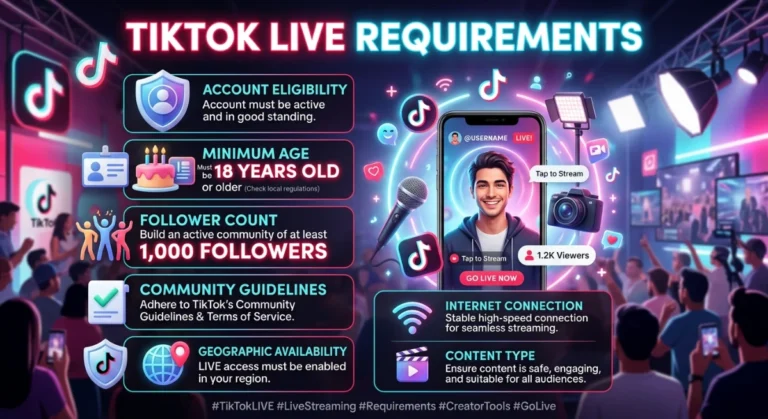
Before you can send or receive LIVE gifts, make sure you have:
- The TikTok app must be installed on your device and updated to the latest version
- An account in good standing (not restricted or newly banned from LIVE features)
- A payment method linked, if you plan to buy Coins (for sending gifts)
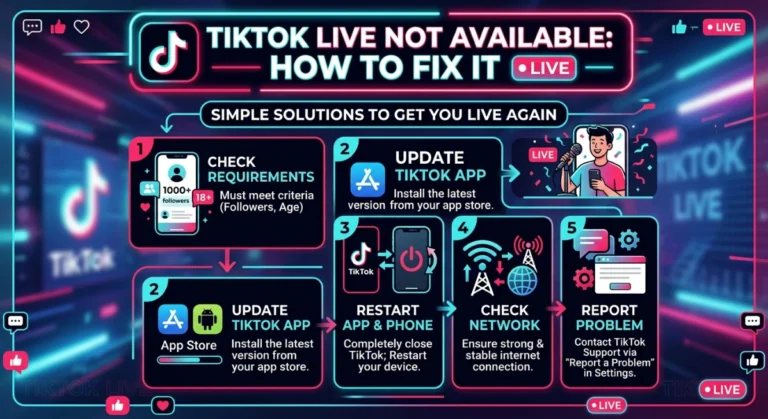
- 1,000 followers minimum and to be at least 18 years old, if you want to go LIVE and receive gifts as a creator
- A stable internet connection, since gift animations and streams can lag on weak networks
If you’re a creator and don’t meet the follower threshold yet, you can still watch and send gifts, you just can’t host a LIVE and collect them until you qualify.
Step-by-Step Guide
Step 1: Understand What Gifts Actually Are
LIVE gifts are virtual icons, hearts, roses, rockets, TikTok Universes, and dozens of others, priced in Coins. When someone sends a gift during a stream, it appears on screen with an animation, and the value (minus TikTok’s cut) is credited to the host as Diamonds.
There isn’t a single fixed value for TikTok LIVE Gifts. Each Gift has its own Coin price, ranging from a 1-Coin Rose to premium Gifts like the TikTok Universe, which can cost several thousand Coins. We cover the full TikTok live gifts list and pricing breakdown in our TikTok Coins guide and TikTok Diamonds guide, so this article focuses on how the gifting flow itself works.
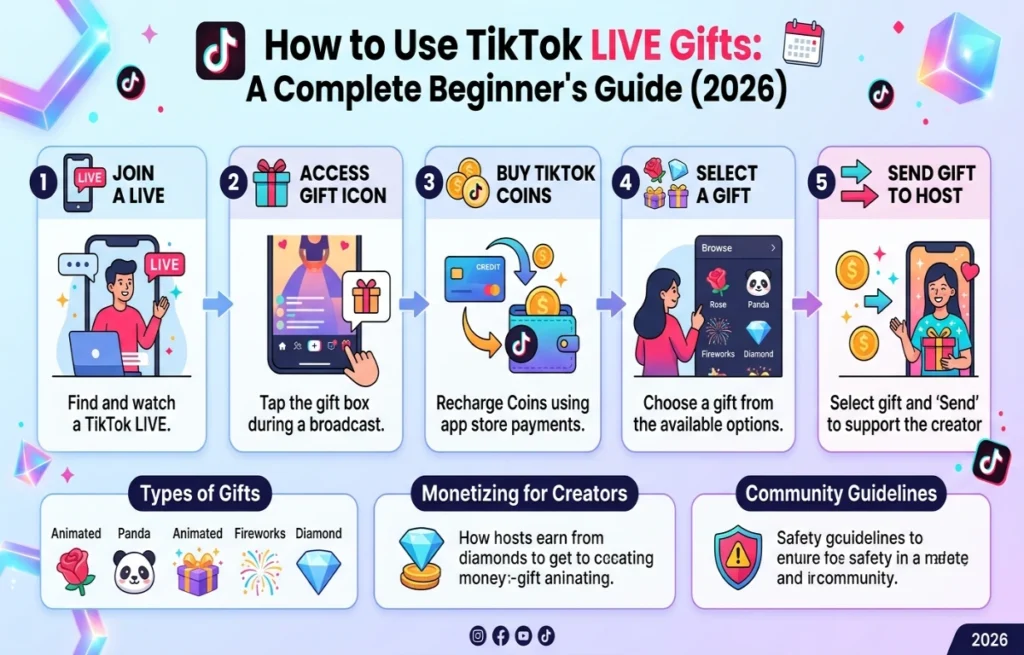
Step 2: Buy Coins (If You Want to Send Gifts)
To send a gift, you first need Coins, which are TikTok’s in-app currency.
- Open the TikTok app and tap the Profile tab.
- Tap the three-line menu in the top right, then go to Settings and privacy.
- Select Balance, then tap Recharge.
- Choose a Coin package and complete payment through your app store, card, or a local payment method.
Coin pricing and available payment options can vary by region, for example, users looking into live gifts on TikTok Pakistan should check the in-app Recharge screen directly, since supported payment methods (like JazzCash, Easypaisa, or card options) differ by country and change from time to time.
Step 3: Join a LIVE Stream
Find a creator who’s currently live, either through your Following feed, the LIVE tab, or by searching their profile directly. Tap their live thumbnail to join the stream.
Step 4: Open the Gift Panel
Once inside the LIVE, look for the gift icon (it looks like a small gift box) along the bottom or side of the screen. Tap it to open the gift panel, which shows every available gift along with its Coin price.
Step 5: Send a Gift
Tap the gift you want to send. If you have enough Coins, it will animate immediately on the stream and the host (and other viewers) will see your username attached to it. You can send gifts repeatedly by tapping again, or hold down on some gifts to send several in a row quickly.
This is the core answer to how to use live gifts on TikTok: buy Coins, open a LIVE, tap the gift icon, pick a gift, and send it.
Step 6: Enable Gifting on Your Own LIVE (Creator Side)
If you want to receive Gifts during your LIVE streams, here’s what you need to check before enabling LIVE Gifts on TikTok:
- Confirm your account meets TikTok’s LIVE eligibility requirements (age and follower count).
- Go to Settings and privacy > LIVE settings.
- Make sure gifts are turned on for your streams, this is typically enabled by default once you’re LIVE-eligible, but it’s worth double-checking if gifts aren’t showing up.
- Start a LIVE stream from your profile by tapping the + icon and selecting LIVE.
Once your stream is live, the gift panel automatically appears for your viewers, you don’t need to do anything extra during the broadcast itself.
Step 7: Track and Convert Your Diamonds
Gifts you receive convert into Diamonds, visible under Settings and privacy > Balance. From there, once you meet TikTok’s payout threshold, you can request a withdrawal to your linked payment method. Full withdrawal steps are covered separately in our Diamonds guide, since the process involves its own verification steps.
Pro Tips
- Start with cheaper gifts (like the Rose) to test the flow before spending on expensive ones.
- Watch for gifting events or challenges, some creators run mini-games where gifts unlock shoutouts or reactions.
- If you’re a creator, thank gifters by name during the stream, it encourages repeat support.
- Check TikTok’s official Coins pricing regularly, since TikTok gifts worth in real currency shifts slightly depending on your region and any current promotions.
- Set a personal spending limit before you start watching LIVEs regularly, it’s easy to lose track of Coin spending in the moment.
Common Mistakes
- Don’t assume TikTok Gifts are free to send. Every Gift requires TikTok Coins, which must be purchased with real money. There is no legitimate way to send Gifts for free, and websites or apps claiming to offer free TikTok Gifts or Coins are typically scams.
- Confusing Coins with Diamonds. Coins are what viewers buy and spend; Diamonds are what creators earn after receiving gifts. They aren’t the same currency and don’t convert 1:1.
- Going LIVE before meeting eligibility requirements. If your account doesn’t meet the follower or age threshold, the LIVE and gifting features simply won’t appear.
- Ignoring regional payment restrictions. Some payment methods for Coin purchases aren’t available in every country, which trips up a lot of beginners outside major markets.
- Overspending during emotional moments in a stream. Gifting culture can create pressure to keep sending, set boundaries ahead of time.
Frequently Asked Questions
Analyze Your TikTok Profile
Use TikView to track your LIVE performance, estimate earnings, and grow your audience.